
For many small service businesses, the website is often a source of quiet anxiety. You know it needs work, but the list of small fixes: outdated service descriptions, broken links, or old pricing, keeps growing. Most founders don’t need a massive redesign; they need a reliable website maintenance service that keeps the gears turning without demanding constant attention.
In our experience at InteniThrive Consulting, the greatest friction in marketing isn’t a lack of ideas. It is the weight of “maintenance debt.” When a website is neglected, every new marketing effort feels heavier because the foundation is shaky. By establishing a calm, weekly rhythm, you stop treating your website as a project and start treating it as a living part of your business operations.
A website maintenance service refers to recurring support that keeps a working website updated, protected, clear, and aligned with current business priorities.
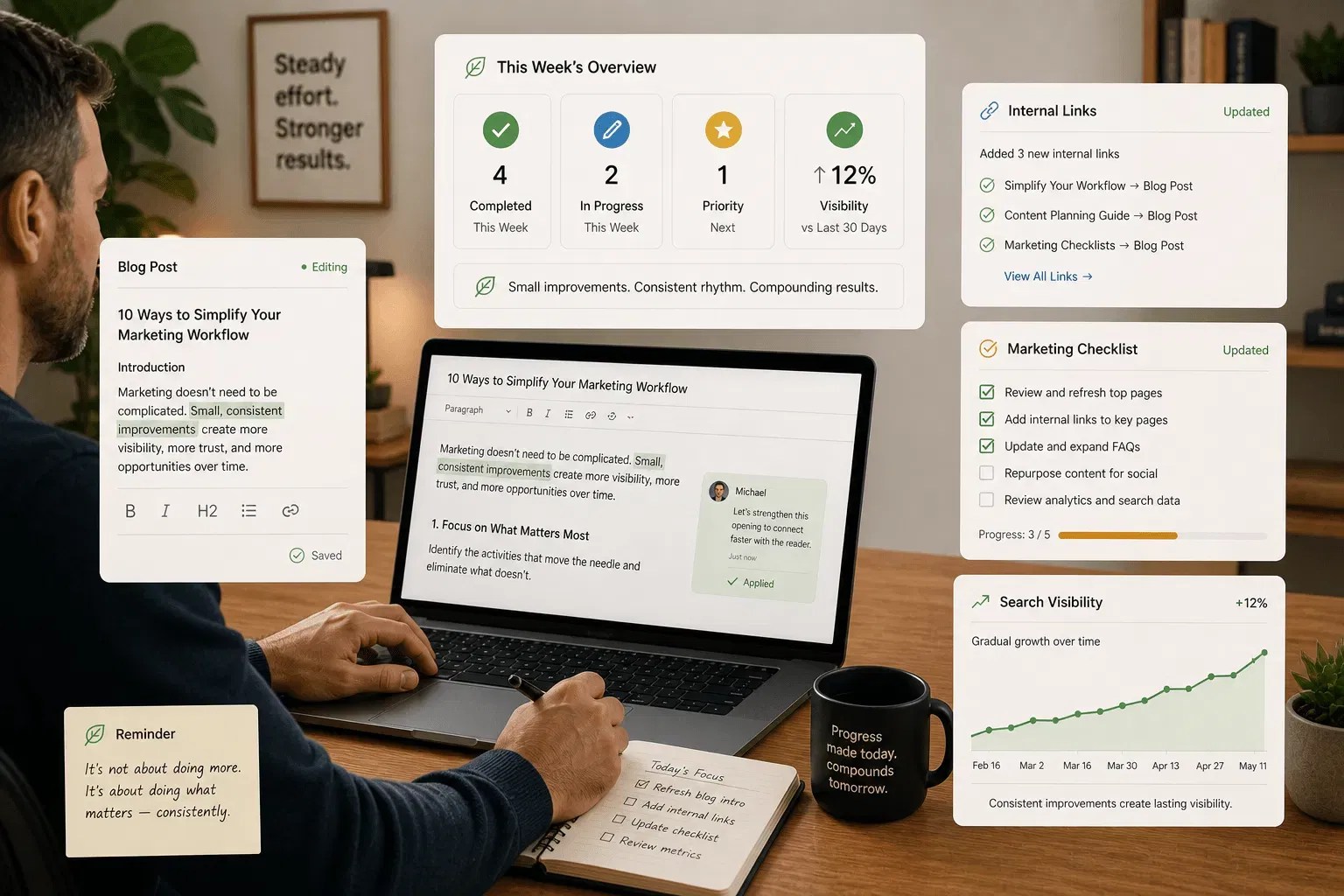
For a small service business, maintenance should include more than plugin updates. It should also keep service pages up to date, strengthen internal links, refresh useful content, improve search visibility, and make buyer questions easier to answer. When handled correctly, maintenance reduces the coordination burden on the founder and ensures the site remains a trustworthy asset.
Key Takeaways
- A website maintenance plan should cover security, updates, content accuracy, internal links, and search visibility support.
- WordPress maintenance services should include plugin updates, backups, malware scanning, and human review.
- Website update services are most useful when they improve pages that buyers actually use.
- SEO services for small business work best when tied to clear service pages, FAQs, internal links, and Google Business Profile updates.
- The best starting point is a practical Baseline Setup, not a long technical report.
- Maintenance should reduce coordination burden, not create another thing to manage.
How To Review Your Current Maintenance Gaps
A reliable website maintenance service does not start by adding more tasks. It starts by identifying which useful improvements have already slipped. Many businesses are surprised to find that their most valuable pages have been untouched for months, even as the business itself has evolved.
Work through these steps:
- Open your website. Visit each core service page. Note outdated pricing, missing buyer questions, thin descriptions, or unclear next steps.
- Review internal links. Find pages with no useful links in or out. Also, check for links pointing to outdated or deleted content.
- Check your Google Business Profile. Confirm your hours, services, description, and recent updates still match your business.
- List content is not refreshed within six months. Older articles, FAQs, and guides often hold useful value if updated.
- Find the improvement backlog. If it lives in email, memory, notes, and scattered messages, that is a coordination gap.
- Name what stalled. Most stalled updates have a trigger: client work, no owner, unclear approval, or no review rhythm.
Most small service businesses can find three to five useful maintenance gaps in thirty minutes. That list becomes the starting point for a practical maintenance rhythm. Often, the barrier isn’t technical skill: it’s marketing follow-through. When nobody is assigned to the “rhythm,” the work simply doesn’t happen.
Step 1: Define Your Weekly Maintenance Scope
Understanding how to set up website maintenance begins with scope. Without a clear definition of what is “in” and what is “out,” maintenance quickly devolves into a series of emergency fixes.
Website maintenance means the recurring work required to keep a website secure, accurate, useful, and aligned with current business needs.
Before comparing providers, define what your website needs each week. This prevents you from paying for services you don’t need or, conversely, from missing out on critical, steady marketing momentum that drives growth.
- List your active service pages. These pages affect buyer trust, search visibility, and sales conversations.
- Identify existing content assets. Include articles, FAQs, landing pages, guides, newsletters, and sales explanations.
- Map visibility signals. Check Google Business Profile updates, internal links, and pages receiving search impressions.
- Record slipped tasks. Include service-page updates, FAQ additions, internal links, and content refreshes that never shipped.
- Set a realistic weekly improvement unit. Choose one to three useful tasks that can move without overloading your team.
- Document the scope. Keep it somewhere visible so future decisions stay grounded.
This scope helps you compare a basic maintenance plan against a broader marketing operations support relationship. It’s about building an infrastructure that supports your business, rather than a list of chores that drains it.
Step 2: Compare Website Maintenance Service Tiers
The market for website maintenance, including WordPress maintenance services, varies widely. Some plans only cover technical upkeep. Others include content updates, reporting, and search visibility support. It is important to distinguish between “keeping the lights on” and “keeping the content moving.”
Here is a practical comparison:
- Basic maintenance: Usually covers software updates, security scans, backups, and uptime monitoring. This fits stable websites with little content activity.
- Mid-level maintenance: Often includes small content updates, performance checks, security monitoring, and simple reporting. Confirm whether “content updates” means minor edits or meaningful page improvement.
- Growth-oriented maintenance: May include service-page updates, existing content refreshes, internal linking, FAQ improvements, structured content distribution, and search visibility support.
- Human review: Ask who reviews changes before publication. Automation can support monitoring and reminders, but human judgment should review business claims and live-site changes.
- Reporting cadence: A useful plan should show what changed, why it mattered, what needs to be reviewed, and what to do next.
- Baseline Setup: A credible provider should review your current website before recommending ongoing work.

Step 3: Evaluate Security And Update Safeguards
Security is one reason website maintenance matters. It is the “invisible” part of the job that only becomes visible when something goes wrong. According to the Verizon 2026 Data Breach Investigations Report, software vulnerabilities and misconfigurations remain primary entry points for breaches in small organizations.
Furthermore, WordPress-specific security reports from industry leaders like Wordfence and Patchstack consistently show that third-party plugins remain a major source of risk. A proactive website maintenance service treats these updates as non-negotiable infrastructure.
A practical maintenance plan should include:
- Malware scanning. Daily scanning is a reasonable baseline for many WordPress sites.
- Backups and restore testing. Backups matter only if they can be restored when needed.
- Plugin and theme updates. WordPress maintenance services should include a clear update cadence.
- SSL monitoring. Expired certificates create trust and access problems.
- Uptime monitoring. Alerts should go somewhere a person will actually see them.
- Change review. Updates should be checked for visible layout, form, or functionality issues.
A good website maintenance plan protects the site technically while keeping the business owner informed in plain language.
Step 4: Align Maintenance With SEO Goals
For many small businesses, SEO services for small business are most useful when they connect directly to current website maintenance. We often see founders chase “viral” keywords while ignoring the fact that their core service pages haven’t been optimized for years.
Google’s SEO Starter Guide explains that SEO helps search engines understand content and helps users decide whether to visit a site. Google also emphasizes helpful, reliable, people-first content. In 2026, this also means ensuring your site is legible to AI search engines and Large Language Models (LLMs), which prioritize structured, clear, and frequently updated information.
Align maintenance with SEO by checking:
- Service-page clarity: Each service page should explain who the service is for, what problem it solves, what outcome it supports, and what to do next.
- Internal linking: Related pages should connect naturally so visitors and search systems understand the site structure. Maximizing existing content through better links is often faster than writing new posts.
- FAQ and buyer-question coverage: Add clear answers to questions prospects actually ask before buying.
- Google Business Profile updates: Google allows businesses to post updates, offers, announcements, and event details directly on Search and Maps.
- Existing content refreshes: Older content should be updated when information, examples, services, or buyer needs change.
- Clear reporting: Monthly summaries should connect completed work to buyer clarity, search visibility, and next steps.
Step 5: Establish A Communication Rhythm
Website update services only work when communication stays clear. The biggest reason website updates fail isn’t a lack of talent; it’s a breakdown in the feedback loop. When a founder feels overwhelmed by emails asking for “approval,” the rhythm stops.
A communication rhythm refers to the recurring update, review, and approval pattern that keeps website maintenance moving.
Set this up before ongoing work begins:
- Choose an update format: A short written summary is often easier to review than another meeting.
- Set a reporting cadence: Monthly progress summaries work well for most small service businesses.
- Use one shared space: Keep tasks, notes, links, approvals, and completed work in one place.
- Confirm review points: Decide which updates require approval before publishing.
- Set response expectations: A three-business-day review window is practical for many small teams.
- Document the agreement: Do not leave the rhythm dependent on memory.
Good communication should reduce recurring friction. It should clarify what changed, why it mattered, what needs to be reviewed, and what to do next. When the process is calm and predictable, it stops being a burden.
How To Execute Your Weekly Maintenance Plan
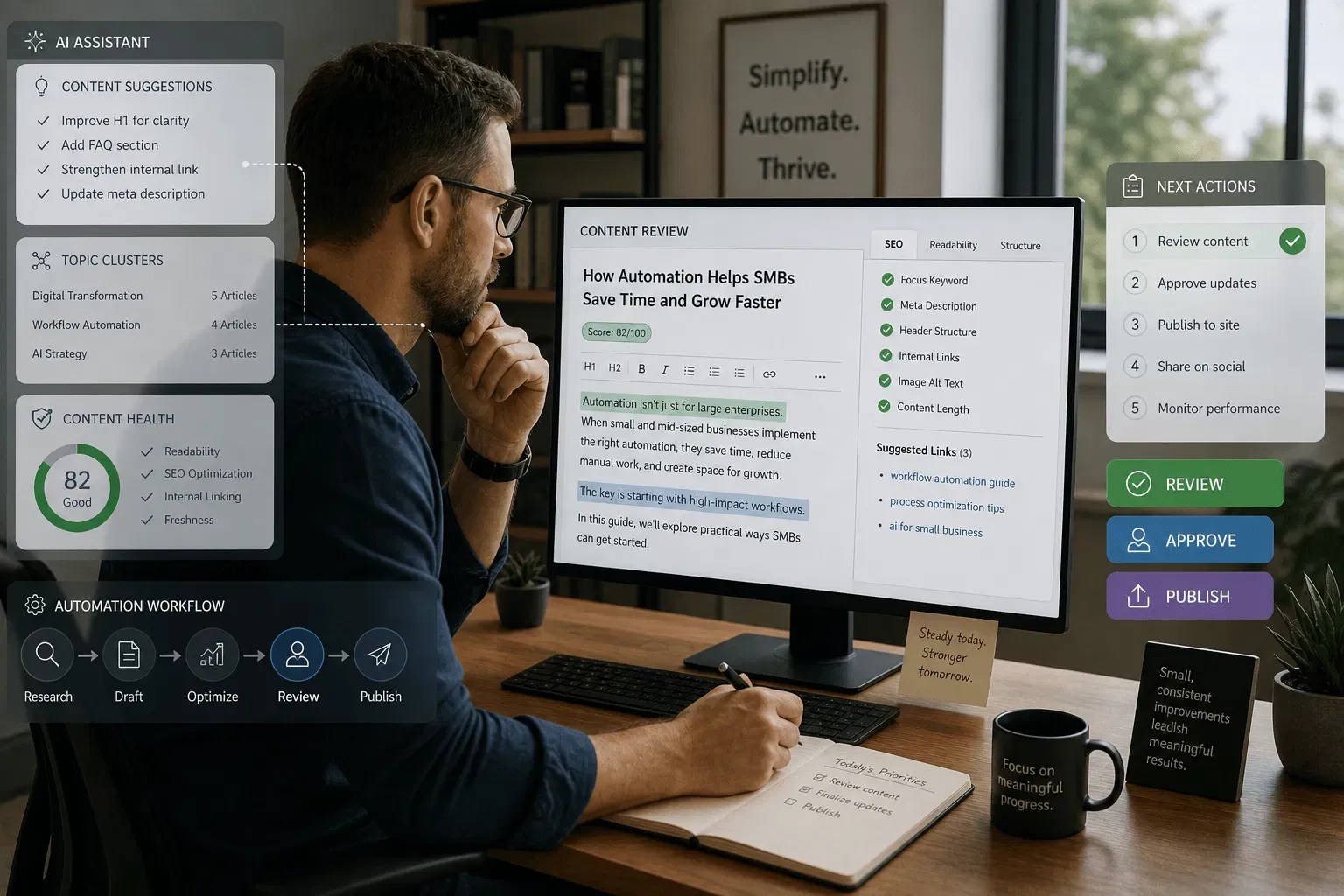
A website maintenance plan becomes useful when it turns into a repeatable rhythm. At InteniThrive, we believe in “low-pressure momentum.” You don’t need to fix everything today; you just need to fix something every week.
Follow this sequence:
- Complete a Baseline Setup: Review service pages, existing content, internal links, search visibility signals, FAQs, and site clarity issues.
- Assign one review owner: One person should approve updates and answer factual questions.
- Choose the first improvements: Start with the pages or content most likely to build trust, increase visibility, or drive sales conversations.
- Make small improvements weekly: Examples include one service-page section, one FAQ expansion, one internal link pass, or one content refresh.
- Keep the backlog visible: Track what should move first, next, and later.
- Review priorities monthly: Adjust based on current services, buyer questions, search visibility, and business needs.
This is sustainable ownership in practice. The business keeps the final judgment, while the maintenance rhythm keeps useful work moving.
Key Takeaways For Small Business Owners
A strong website maintenance service should do more than prevent technical problems. It should help your working website stay accurate, useful, findable, and easier to trust.
- Start with what already exists: Review current service pages, content, links, and visibility before adding more work.
- Prioritize visible progress: Small weekly improvements usually beat irregular bursts of activity.
- Make FAQs part of maintenance: Buyer questions change, and your website should keep up.
- Connect maintenance to search visibility: Internal links, service-page clarity, and helpful content all support SEO.
- Keep human judgment involved: Automation can support reminders, monitoring, and structure. People still own the final review.
- Use simple reporting: You should be able to see what improved without having to dig through dashboards.
DIY Website Maintenance Vs Managed Website Maintenance
DIY maintenance can work when your team has time, skill, and a reliable weekly rhythm. However, for most founders, “doing it yourself” actually means “doing it never.” The psychological burden of an unfinished to-do list is often more taxing than the actual cost of professional support.
Ask five questions to see if you’re ready for a managed website maintenance plan:
- What shipped in the last 90 days? Count service-page updates, content refreshes, internal links, and FAQ improvements.
- Who owns the work? If ownership changes every week, the work will likely stall.
- How much time is truly available? Be honest about weekly capacity.
- Does the website reflect current services? Outdated pages signal that the rhythm has slipped.
- Is the issue skill or follow-through? Many small businesses know what they should improve. They need help keeping it moving.
The Rhythm Marketing Engine
If website and content updates keep slipping, InteniThrive Consulting’s Rhythm Marketing Engine may be a good fit. We don’t just “fix bugs”; we manage the steady improvement of your most important digital asset.

It starts with a Baseline Setup to show what is working, what is unclear, what should improve first, and whether monthly support makes sense. Instead of a 50-page audit, you get a practical roadmap for the next 90 days.
Schedule a Fit Conversation to see what should be improved first.
FAQs About Website Maintenance Services
What Is A Website Maintenance Service?
A website maintenance service is recurring support that keeps a website up to date, secure, accurate, useful, and aligned with current business goals. It may include software updates, backups, malware scans, content updates, internal linking, performance checks, reporting, and search visibility support.
What Should A Website Maintenance Plan Include?
A website maintenance plan should include backups, security checks, software updates, uptime monitoring, content accuracy reviews, broken-link checks, internal linking, and a simple reporting cadence. For service businesses, it should also include a service page and an FAQ review.
How Often Should A Small Business Update Its Website?
A small business should review priority service pages at least monthly and make useful improvements weekly when possible. Security updates may need to happen more often, especially on WordPress sites with active plugins.
Are WordPress Maintenance Services Worth It?
WordPress maintenance services are often worth it when the site uses multiple plugins, receives regular inquiries, or supports sales conversations. The value increases when maintenance includes human review, backups, security monitoring, and practical content improvements.
What Is The Difference Between Website Maintenance And Website Update Services?
Website maintenance refers to the recurring process that keeps the site healthy and useful. Website update services refer to specific changes, such as editing copy, adding FAQs, refreshing content, improving links, or updating service details.
Can Website Maintenance Help SEO?
Yes. Website maintenance can support SEO by improving content clarity, internal linking, page accuracy, technical health, Google Business Profile updates, and coverage of buyer questions. It should not replace a broader SEO strategy when deeper research or technical work is needed.
How Do I Set Up Website Maintenance?
Start by reviewing your current website, listing maintenance gaps, assigning a single review owner, choosing a weekly improvement cadence, documenting the backlog, and setting a monthly reporting cadence. A Baseline Setup can make this process clearer before ongoing work begins.
Do I Need A Maintenance Provider If My Website Is Small?
Maybe. A small website still needs updates, backups, security checks, and accurate service information. DIY can work if someone owns the rhythm. Managed support makes sense when updates keep slipping.
What Should I Ask Before Hiring A Website Maintenance Service?
Ask what is included, who reviews changes, how backups work, how often updates happen, what reporting looks like, how content updates are handled, and whether search visibility support is included.
How Much Website Maintenance Does A Service Business Need?
Most service businesses need enough maintenance to keep core service pages accurate, protect the site, refresh useful content, answer buyer questions, and maintain basic visibility signals. The right level depends on site complexity, business changes, and internal capacity.

Leave a Reply